

ABISO TUNGKOL SA BAGONG POEA ONLINE PROCESSING SYSTEM PARA SA MGA OFWS AT BALIK MANGGAGAWA
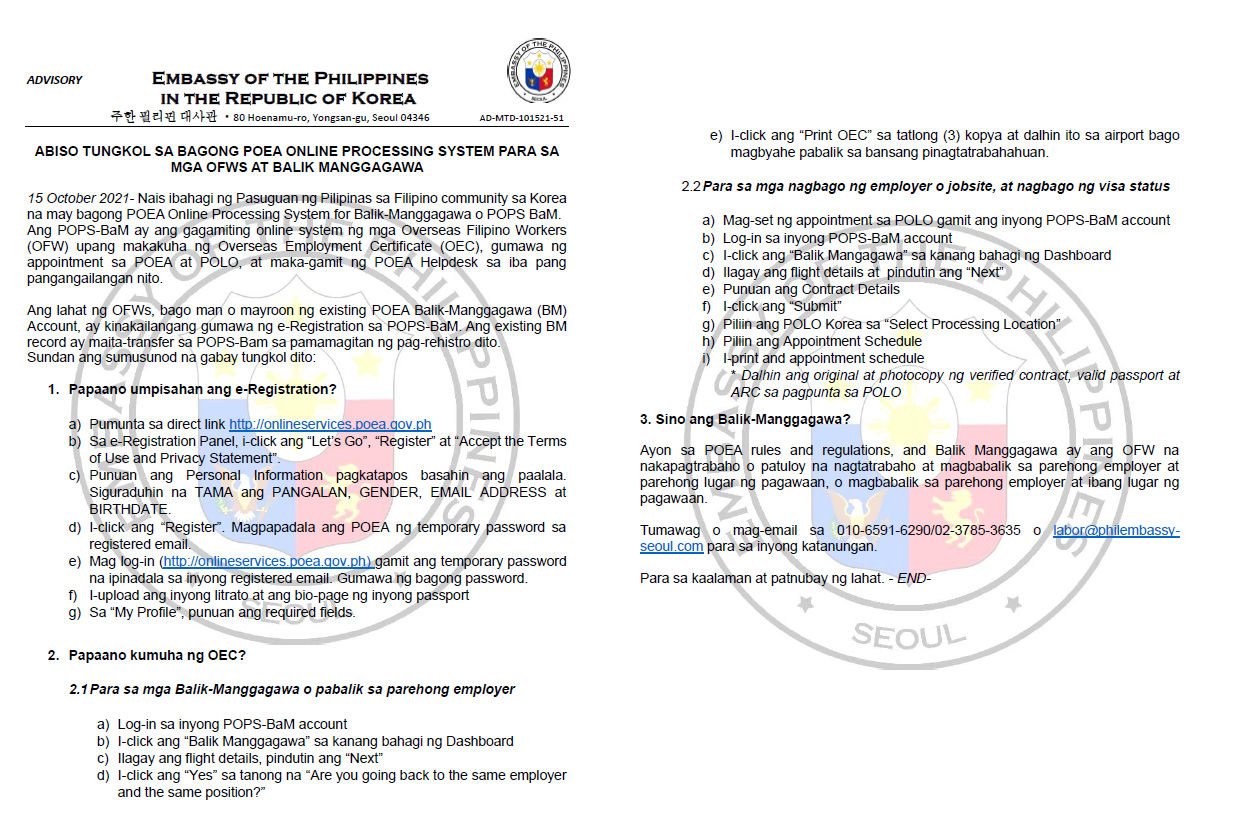
15 October 2021- Nais ibahagi ng Pasuguan ng Pilipinas sa Filipino community sa Korea na may bagong POEA Online Processing System for Balik-Manggagawa o POPS BaM. Ang POPS-BaM ay ang gagamiting online system ng mga Overseas Filipino Workers (OFW) upang makakuha ng Overseas Employment Certificate (OEC), gumawa ng appointment sa POEA at POLO, at maka-gamit ng POEA Helpdesk sa iba pang pangangailangan nito.
Ang lahat ng OFWs, bago man o mayroon ng existing POEA Balik-Manggagawa (BM) Account, ay kinakailangang gumawa ng e-Registration sa POPS-BaM. Ang existing BM record ay maita-transfer sa POPS-Bam sa pamamagitan ng pag-rehistro dito.
Sundan ang sumusunod na gabay tungkol dito:
1. Papaano umpisahan ang e-Registration?
a) Pumunta sa direct link http://onlineservices.poea.gov.ph
b) Sa e-Registration Panel, i-click ang "Let's Go", "Register" at "Accept the Terms of Use and Privacy Statement".
c) Punuan ang Personal Information pagkatapos basahin ang paalala. Siguraduhin na TAMA ang PANGALAN, GENDER, EMAIL ADDRESS at BIRTHDATE.
d) I-click ang "Register". Magpapadala ang POEA ng temporary password sa registered email.
e) Mag log-in (http://onlineservices.poea.gov.ph) gamit ang temporary password na ipinadala sa inyong registered email. Gumawa ng bagong password.
f) I-upload ang inyong litrato at ang bio-page ng inyong passport
g) Sa "My Profile", punuan ang required fields.
2. Papaano kumuha ng OEC?
2.1 Para sa mga Balik-Manggagawa o pabalik sa parehong employer
a) Log-in sa inyong POPS-BaM account
b) I-click ang "Balik Manggagawa" sa kanang bahagi ng Dashboard
c) Ilagay ang flight details, pindutin ang "Next"
d) I-click ang "Yes" sa tanong na "Are you going back to the same employer and the same position?"
e) I-click ang "Print OEC" sa tatlong (3) kopya at dalhin ito sa airport bago magbyahe pabalik sa bansang pinagtatrabahahuan.
2.2 Para sa mga nagbago ng employer o jobsite, at nagbago ng visa status
a) Mag-set ng appointment sa POLO gamit ang inyong POPS-BaM account
b) Log-in sa inyong POPS-BaM account
c) I-click ang "Balik Mangagawa" sa kanang bahagi ng Dashboard
d) Ilagay ang flight details at pindutin ang "Next"
e) Punuan ang Contract Details
f) I-click ang "Submit"
g) Piliin ang POLO Korea sa "Select Processing Location"
h) Piliin ang Appointment Schedule
i) I-print and appointment schedule
* Dalhin ang original at photocopy ng verified contract, valid passport at ARC sa pagpunta sa POLO
3. Sino ang Balik-Manggagawa?
Ayon sa POEA rules and regulations, and Balik Manggagawa ay ang OFW na nakapagtrabaho o patuloy na nagtatrabaho at magbabalik sa parehong employer at parehong lugar ng pagawaan, o magbabalik sa parehong employer at ibang lugar ng pagawaan.
Tumawag o mag-email sa 010-6591-6290/02-3785-3635 o labor@philembassy-seoul.com para sa inyong katanungan.
Para sa kaalaman at patnubay ng lahat. - END-
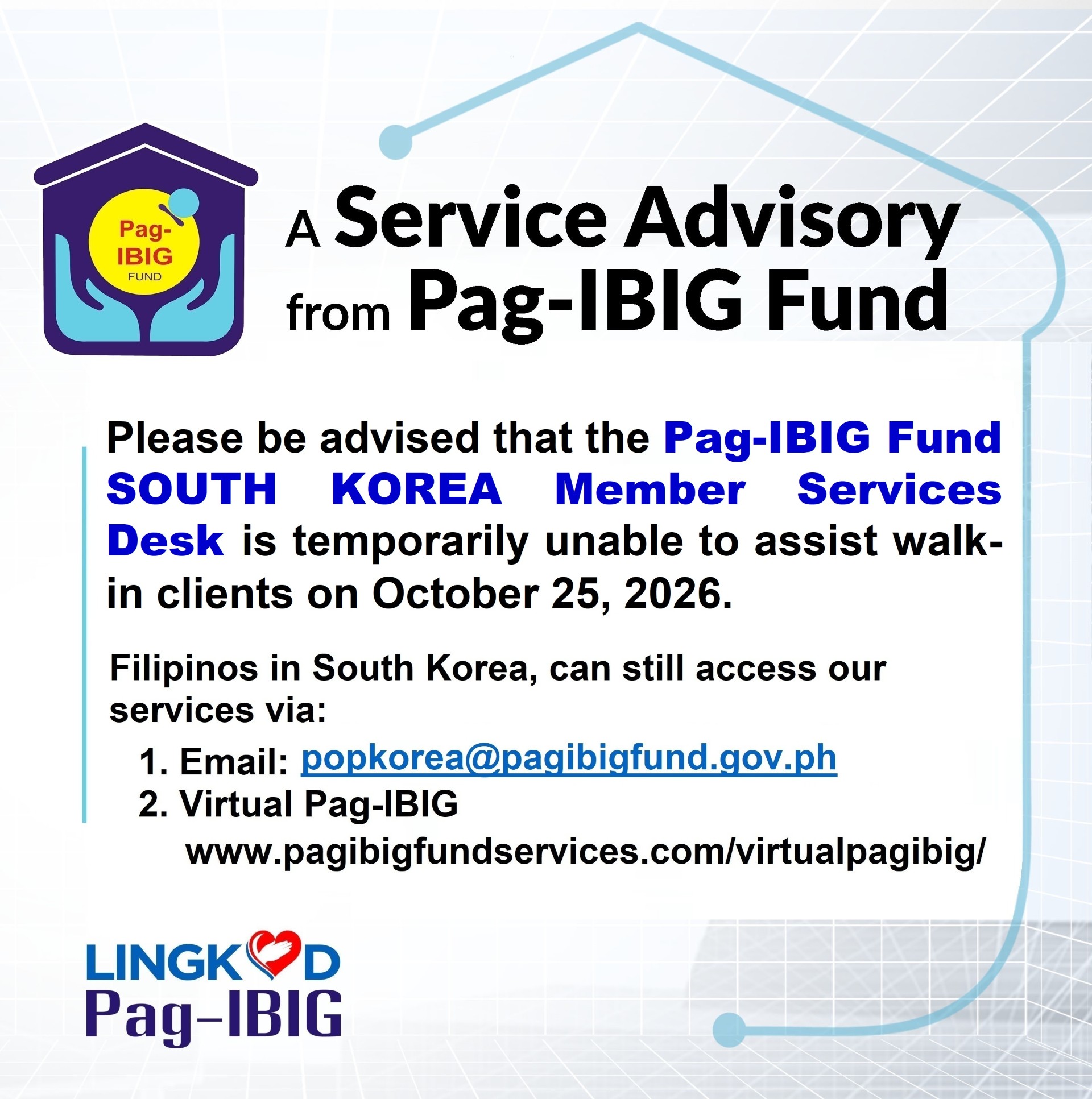 October 19, 2026
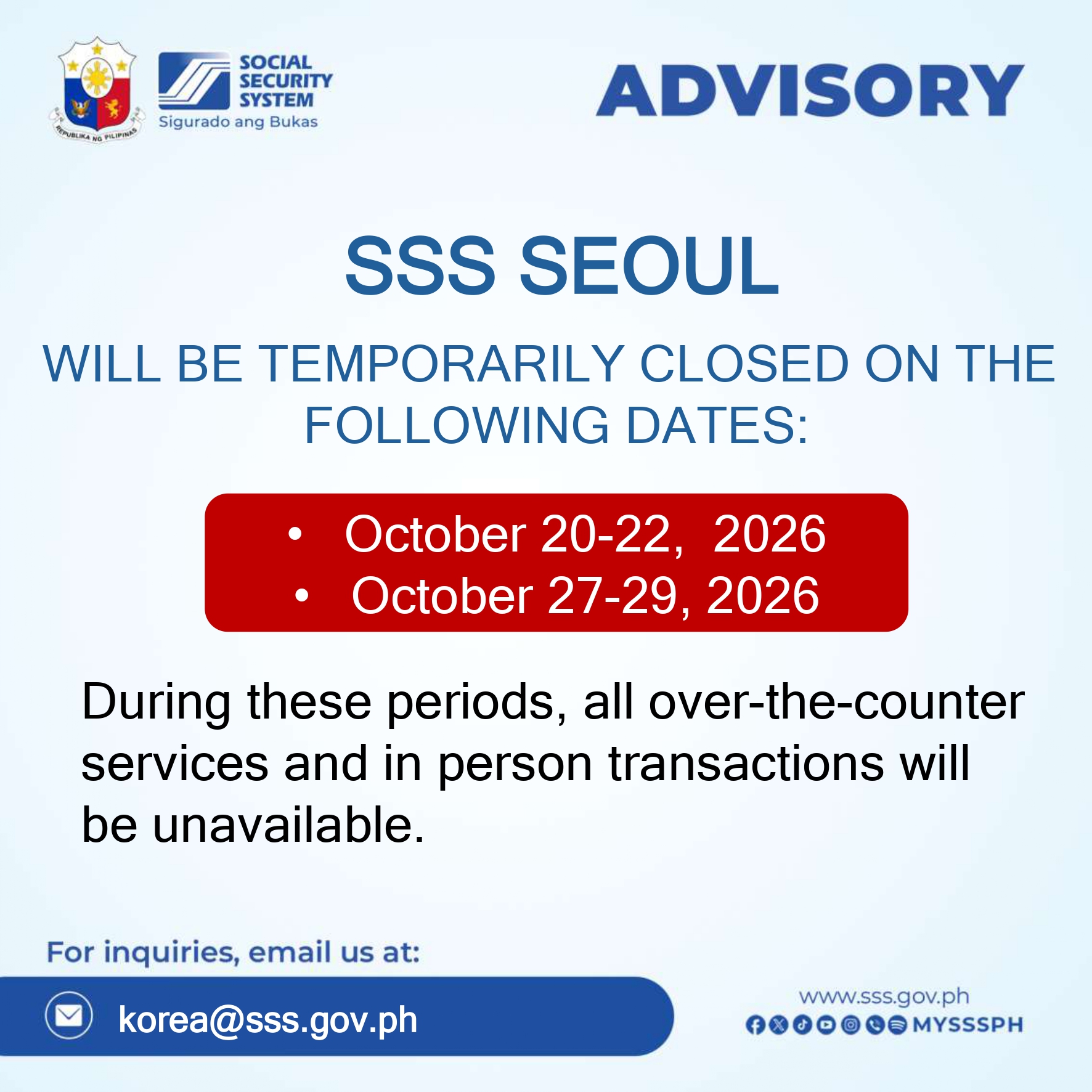 October 18, 2026
 October 15, 2026